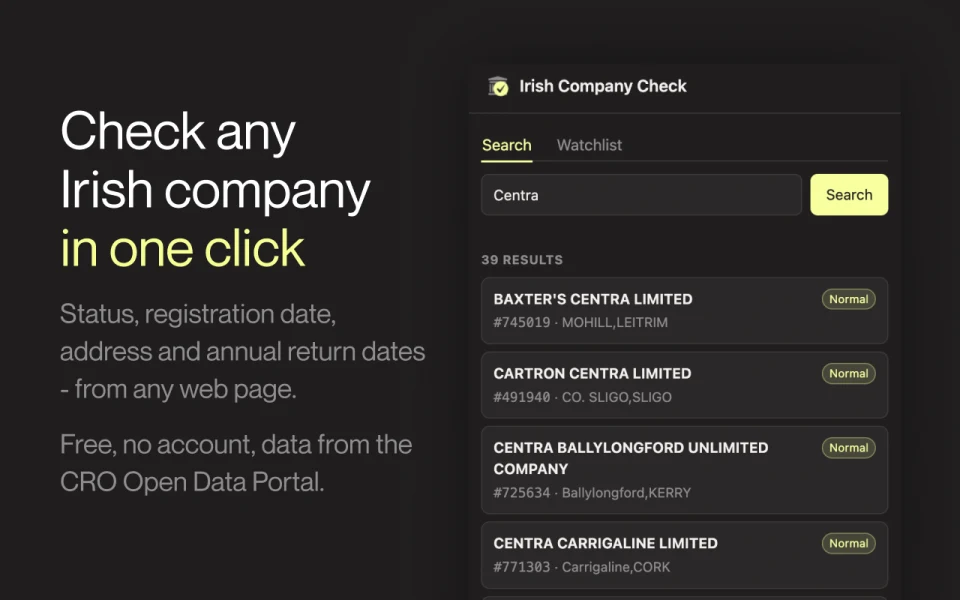
Company lookup
Irish Company Check
Look up an Irish company by name or CRO number. Start from selected text on a website or search from the Chrome toolbar.
View in Chrome Web StoreWe design and build custom Chrome extensions for internal teams and SaaS products. Look up a supplier while reading an invoice, build a campaign link from the current tab, or save a page into your own app. No copying between windows.
Typical first extensions, grouped by who uses them. Each one starts with a task people already do in the browser, by hand.
Finance, sales, support, operations
In a side panel next to a supplier portal, webmail or your own back office.
Looks up the record behind a reference on the page and shows status, owner and notes.
The selected reference, plus the fields your API returns for it. Nothing else on the page is read.
Private to your organisation, either through managed Chrome or a restricted listing.
Clip to workspace, open in app, quick add
On any site your customers choose to use it on, from the toolbar or a right-click.
Brings one useful feature of your product into the browser, such as saving the current page into a workspace.
The page address and title, sent to your backend under the signed-in user account.
Public Chrome Web Store listing under your developer account, linked from your app.
Campaign links, checklists, repeat data entry
In a toolbar popup on the page being promoted or the form being filled in.
Standardises tracking values, fills agreed fields or checks a page against a list.
Presets and history stored in the browser. Often no server is needed at all.
Shared with the team privately, or published if it is useful beyond your business.
Takeover, new feature, Manifest V3 migration
Wherever it runs today. We start from the current code and listing.
We review the build, then add the feature, fix the bug or migrate older code to Manifest V3.
We check what the current permissions allow and remove access the extension no longer uses.
An update through the existing listing, so current users keep their install.
Examples, not a fixed menu. What an extension can read or change depends on Chrome APIs, the sites involved and how your organisation manages Chrome.
Look up an Irish company by name or CRO number. Start from selected text on a website or search from the Chrome toolbar.
View in Chrome Web Store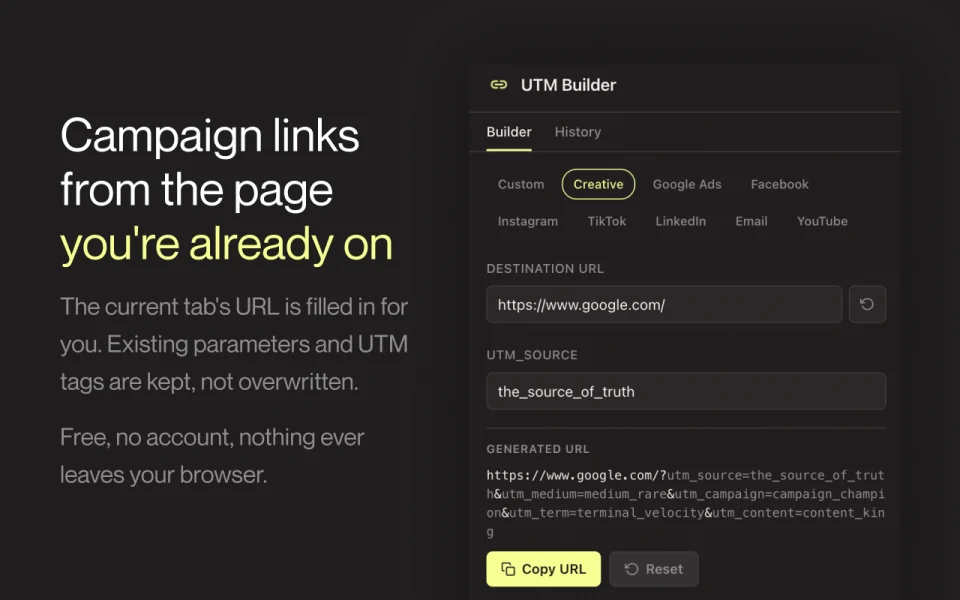
Generate a campaign link from the current tab, standardise tracking values and keep link history in the browser.
View in Chrome Web StoreThe user opens the popup, the side panel or a right-click action. Nothing runs until they ask.
The extension takes the selected text or the page address, not the whole page.
Formatting, presets and history stay on the device where the task allows it.
Approved requests go to your backend or SaaS account, with sign-in and expired sessions handled.
The answer appears next to the page. The user copies, saves or opens it in your app.
Chrome shows users what an extension can access before they install it, and Google asks for a reason for each permission during review. So we go through the manifest line by line before release.
sidePanelShows the lookup beside the pageNeededcontextMenusRight-click "Look up supplier"NeededactiveTabReads the selection only on clickNeededstorageKeeps settings on this deviceNeeded<all_urls>Requested in the first draftToo broaderp.example.ie/*The one site the API lives onReplaces itThe code inside the popup is a small part of the job. Most of the work is permissions, connections, testing and getting through release.
A toolbar popup, side panel or right-click action, chosen for the task and tested with the people who will repeat it every day.
A current Chrome extension with a service worker, the narrowest permissions that work and no remote code that review would reject.
Calls to your API or SaaS account, with sign-in, expired sessions and offline services handled so the user gets a clear message.
First install, permission prompts, Chrome updates, slow or missing services and changes to the sites the extension runs on.
Screenshots, description, permission explanations and privacy answers, prepared for your developer account.
The agreed source, build instructions and a release package, so you or another developer can ship the next version.
We prepare the submission carefully and respond to any review feedback, but Google decides whether a listing is approved and how long review takes.
An extension is the right tool when the task starts on a page someone already has open. Here is how we decide.
| Compare | Chrome extension | Web app | Automation or script |
|---|---|---|---|
| Best fit | A task that starts on the page in front of the user | A task that needs its own screens, users and data | A repeat job with fixed rules and no one watching |
| Where people work | In Chrome, beside the site they already use | In a new interface you send them to | Mostly in the background |
| Access to the page | Can read the current tab, with permission | Only its own pages | Usually through an API, not the page |
| Distribution | Chrome Web Store or managed Chrome | A web address and a login | Runs on a server or a platform |
| Main risk | Third-party sites change their pages | Larger build and more to maintain | Breaks quietly if inputs change |
A focused first version is usually a few weeks. It depends on the interface, sign-in, integrations and distribution. Store review time is set by Google and comes on top. We confirm the schedule in the proposal.
We map the task, the websites it runs on and the information the extension needs. We agree whether the first release is for a team, a test group or the public.
We test how the feature fits into the page, toolbar or side panel. If it depends on a third-party site, we check for an API and plan for the page changing.
We check first install, permissions, Chrome updates, disconnected services and any sign-in, saving or submission flows in scope.
We prepare the release materials and help submit through your developer account if required. We agree who manages future releases.
Have a browser task in mind? Send a short screen recording with private details removed and we will tell you whether an extension is the right tool.

Tell us who does the task, which pages or systems they use and how you want to share the extension. We will check what Chrome allows and give you a written scope.